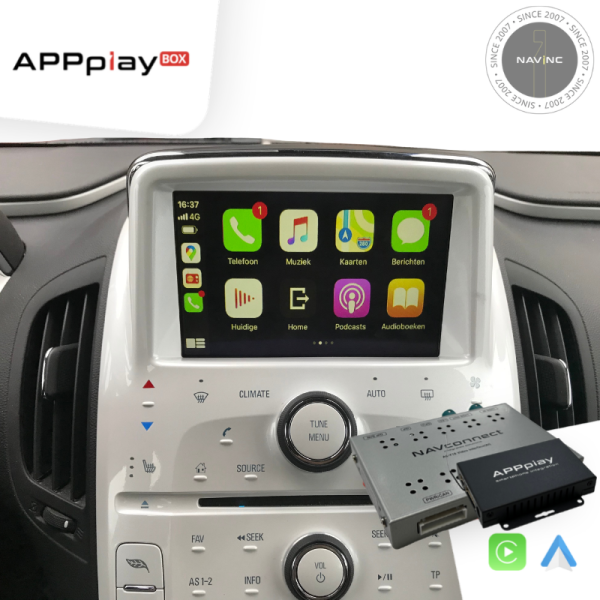
Upgrade your Opel/Chevrolet vehicles equipped with the OEM infotainment system and experience wireless CarPlay & Android Auto without compromises – while retaining all original vehicle functions.
APPplay box, our smartphone solution, support wireless Carplay & Android AUTO integration to your existing multimedia system. You can run the most popular apps from your Phone (such as Spotify, Google maps, Waze, Whatsapp and more) with control everything via your original steering wheel & Touch screen just like factory-installed systems.
In addition it allows you to mirror your Smartphone, add Front and/or Rear camera and USB playback.
Features
✅Wireless Carplay
✅Wireless Android AUTO
✅Original touch screen support
✅Original car button support
✅Audio via Bluetooth streaming*
✅Retain Original Hands-Free Kit & Microphone**
✅Voice control support (Siri & Google Assistant)
✅Rear view camera input (with dynamic parking lines)
✅Front view camera input
✅MirrorLink support***
✅USB media support***
✅2 Years warranty
❌For Mirrorlink you must have an AUX input in the car
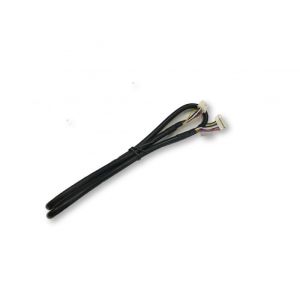
❌Need to open the monitor to install touch cable
NOTES
*When the car does not have audio streaming, AUX input option in the car is required
**The car must have original Bluetooth carkit and streaming to support the original microphone.
***AUX input is required when you want to use the USB or Mirrorlink feature.
- Check the other product tabs for Compatibility and extra information.
The interface inserts ONLY video signals into the infotainment. It is essential to have an Aux-in, when using audio from the CARplay box
VIDEO OUTPUT
Video goes via RGB
CONTROL
You can control CARplay & Android AUTO via original touch screen
SCREEN
Only compatible with Intellilink
OPEN HU
Need to open the monitor to install touch cable
FRONT CAMERA
The front camera input will automatically switch after leaving the reverse gear.
You can set the display time in seconds via the OSD menu (1-15 sec).
It is also possible to select the FRONT camera input manually
OEM REAR CAMERA
The interface does not switch back automatically to the OEM rear camera input when the reverse gear is engaged.
GUIDELINES
Static lines are available via the interface OSD menu
iPAS
iPAS option is not available (moveable grid lines)
PIP
PiP option is not available (Picture in Picture)
REAR SELECT CAMERA INPUT
Interface will not respond via CAN, you need to use the rear detection wire.
INSTALLATION
We recommend that the installation will be performed by a qualified specialist
EXTRA NOTE
MEDIA PLAYER
Media player support the following files:
MUSIC
MP3
VIDEO
MP4
ANDROID AUTO
Your Phone must be compatible with Android AUTO & Androi Auto app must be available in your county.
An Android phone running Android 5.0 (Lollipop) and up with a data plan. For best performance, we recommend Android 6.0 (Marshmallow) and up. You can check your phone’s software version by looking at the About Device section under Settings
Please check the following link for more info about Android Auto: